
Transactional email best practices for developers - Complete Analysis
Transactional Email Best Practices: The Developer’s Guide to Deliverability and Trust
Transactional emails are the quiet workhorses of modern web applications. Password resets, order confirmations, receipts, and account notifications are not just routine messages — they are critical touchpoints where users expect speed, accuracy, and reliability. Yet many development teams treat transactional email best practices as an afterthought until a delivery failure or a spike in support tickets forces them to investigate. This guide takes a deep look at what actually goes into building a resilient transactional email system, from authentication protocols to verification APIs and everything in between.
Understanding Transactional Email Best Practices
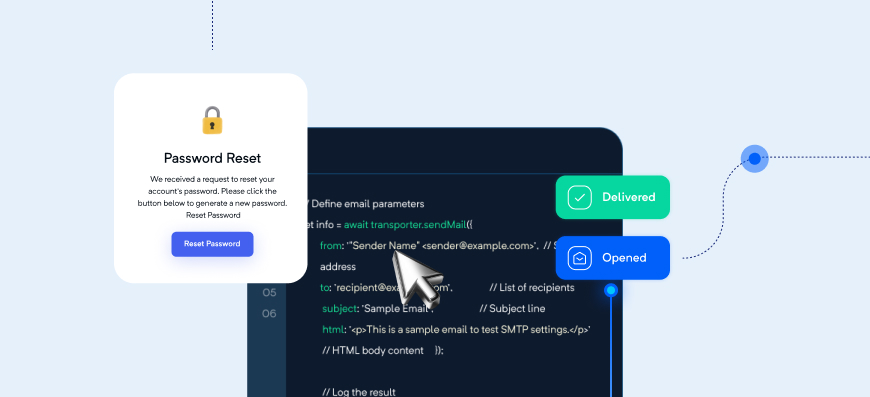
At their core, transactional emails are triggered by a specific user action or system event. When a user requests a password reset, the email is sent automatically. When an order is placed, the receipt arrives without anyone clicking "send." These messages are fundamentally different from marketing newsletters because they are expected, relevant, and tied to an immediate need. That explains why transactional emails consistently outperform marketing emails in open rates — users are waiting for them.
However, higher open rates bring higher expectations. A delayed password reset can lock a user out of their account. A missing order confirmation creates anxiety and support overhead. In my experience, the teams that succeed view transactional email as part of the application's core logic, not as a peripheral messaging feature. They set explicit service-level objectives for delivery time, bounce rate, and inbox placement, and they monitor these metrics as diligently as they monitor API latency.
There is also a legal and regulatory distinction between transactional and marketing email. In most jurisdictions, transactional emails are exempt from opt-in consent requirements because they facilitate a transaction or fulfill a contractual obligation. But that does not mean you can use transactional email as a loophole to smuggle in promotions. Doing so confuses users, triggers spam complaints, and can damage your sender reputation. The best practice is to keep transactional messages strictly functional, and to move any promotional content into a separate, permission-based marketing stream.
Core Principles Behind Transactional Email Best Practices
Four principles underpin every successful transactional email strategy: deliverability, timeliness, clarity, and consistency.
Deliverability is the most fundamental. An email that never reaches the inbox is worthless, regardless of its content. Timeliness matters because transactional emails are often time-sensitive — a verification link may expire, a delivery notification is only useful before the package arrives. Clarity keeps the message scannable and actionable. Users should immediately know what the email is about and what to do next. Consistency builds trust; repeated changes in sender name, email address, or visual style can make your messages look like phishing attempts.
Developers are effectively the owners of transactional email infrastructure. Unlike marketing teams who may use a full-service platform, developers are the ones writing the code that triggers sends, handling API responses, and configuring DNS records for authentication. This also means developers have an outsized impact on domain reputation. One poorly handled integration — such as sending from an unauthenticated domain or failing to suppress repeated hard bounces — can poison the sender score for an entire organisation. That is why these best practices need to be part of the engineering workflow, not just the email operations playbook.
Email Deliverability Best Practices for Transactional Senders

Authentication Essentials: SPF, DKIM, and DMARC
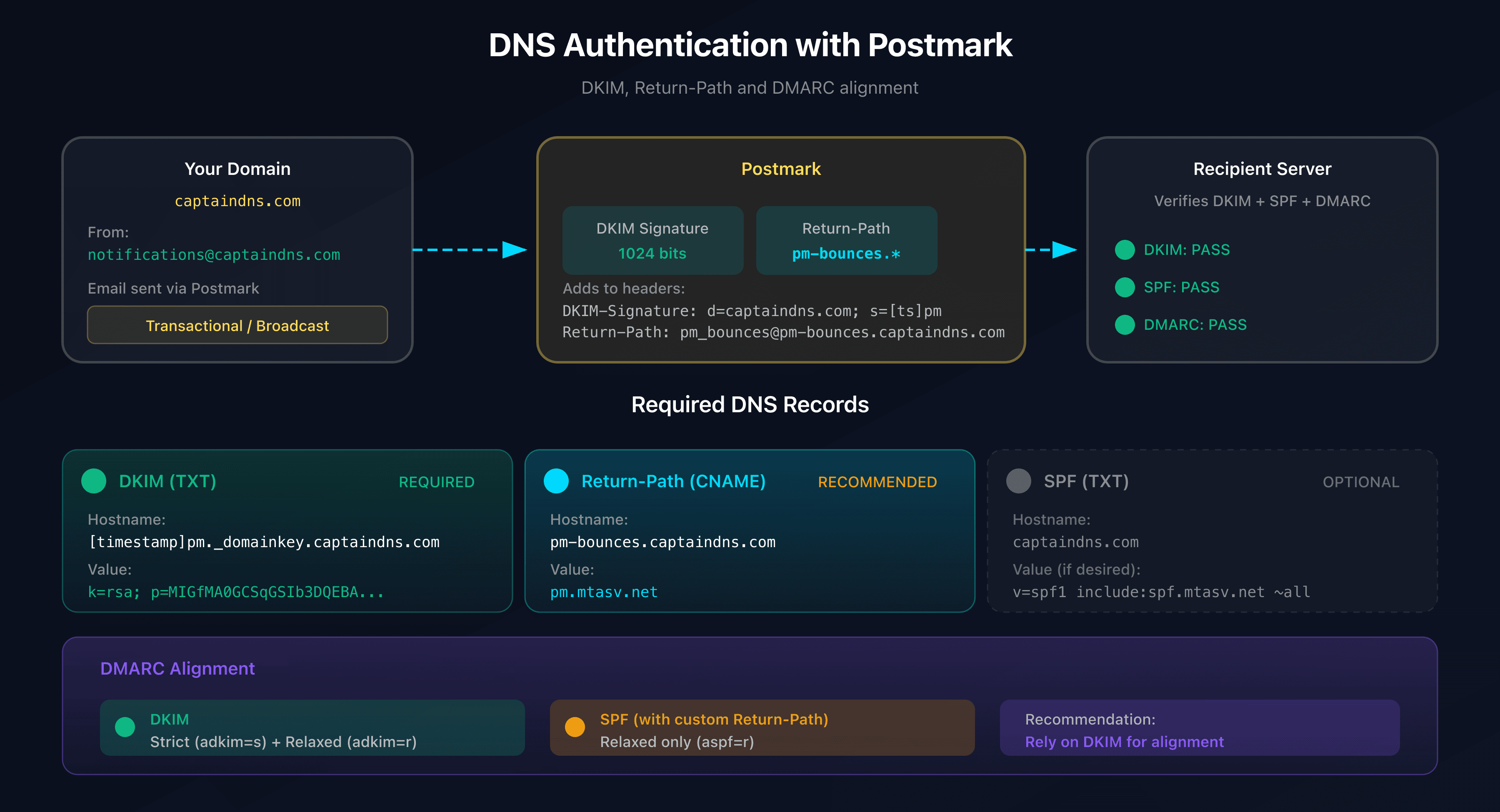
Sender authentication is the first thing mailbox providers check when deciding whether to accept your email. Three protocols are essential: SPF, DKIM, and DMARC.
SPF (Sender Policy Framework) declares which IP addresses are allowed to send mail for your domain. You publish an SPF record in DNS that lists those addresses. DKIM (DomainKeys Identified Mail) adds a cryptographic signature to each outgoing message, and the receiving server verifies that signature against a public key published in DNS. DMARC (Domain-based Message Authentication, Reporting, and Conformance) ties the two together by telling receivers what to do when both SPF and DKIM fail — for example, quarantine or reject the message.
Alignment is the subtle detail that many teams miss. Even if SPF and DKIM pass individually, DMARC requires domain alignment: the domain in the envelope sender or the DKIM signing domain must match the domain visible to the recipient. If you send using a subdomain such as mail.yourdomain.com, and your From address is noreply@yourdomain.com, DMARC can fail if the alignment is not configured correctly. When implementing DMARC, start with a monitoring policy (p=none), collect reports for a few weeks, and then gradually tighten the policy. A common mistake is jumping straight to p=reject and suddenly losing legitimate email due to a misconfigured third-party service.
Reputation Management and IP Warm-Up

A healthy sending reputation is built slowly and destroyed quickly. For high-volume senders, deciding between shared and dedicated IPs is a real trade-off. Shared IPs benefit from the pool's existing reputation, but you have no control over the other senders. Dedicated IPs give you full control, but they start with no reputation and require careful warm-up. In practice, a dedicated IP is worth it only if you are sending consistently high volumes — otherwise you will look like a new, low-volume sender and may face stricter filtering.
Regardless of IP type, you should monitor blacklist status using services like Spamhaus or MultiRBL. But do not panic at every blacklist listing; some are spam traps, some reflect a single bad campaign, and others are simply ignored by major mailboxes. The better signal is your own delivery data: bounce rates, complaint rates, and inbox placement rates. I have seen teams spend hours trying to delist from an obscure blacklist while their real problem was a missing DMARC record.
Consistency matters more than volume spikes. Mailbox providers learn your normal sending pattern — frequency, time of day, and message size. Sudden surges in transactional email, like a lot of password resets after a security incident, can look automated and abusive. Use throttling and rate limiting on your sending side to smooth out bursts where possible.
Bounce Handling and Feedback Loops
Bounces are not all the same. A hard bounce means the address is permanently undeliverable — for example, the domain no longer exists or the user does not exist. A soft bounce is a temporary problem, like a full inbox or a server timeout. The best strategy is to treat hard bounces as an immediate signal to suppress that address and remove it from your records. For soft bounces, a common approach is to retry a few times with increasing intervals, then suppress after a threshold.
The most robust way to handle bounces is through webhooks. Most transactional email providers can send a callback to your backend whenever a bounce event occurs. Automating bounce handling in this way prevents invalid addresses from accumulating in your database. When implementing webhooks, make sure your endpoint is idempotent — the provider may deliver the same event more than once — and that you log the raw payload for debugging.
Feedback loops are another valuable data source. ISPs such as Yahoo and AOL provide feedback loops that notify you when a user marks your email as spam. If your complaint rate consistently exceeds 0.1%, your sender reputation will suffer. Monitoring these complaints is especially important for transactional email because a user marking a transactional email as spam is a strong signal that either the sender name was unclear, the content looked suspicious, or the email was not actually relevant.
Integrating an Email Verification API for Developers
Where Verification Fits in the User Journey
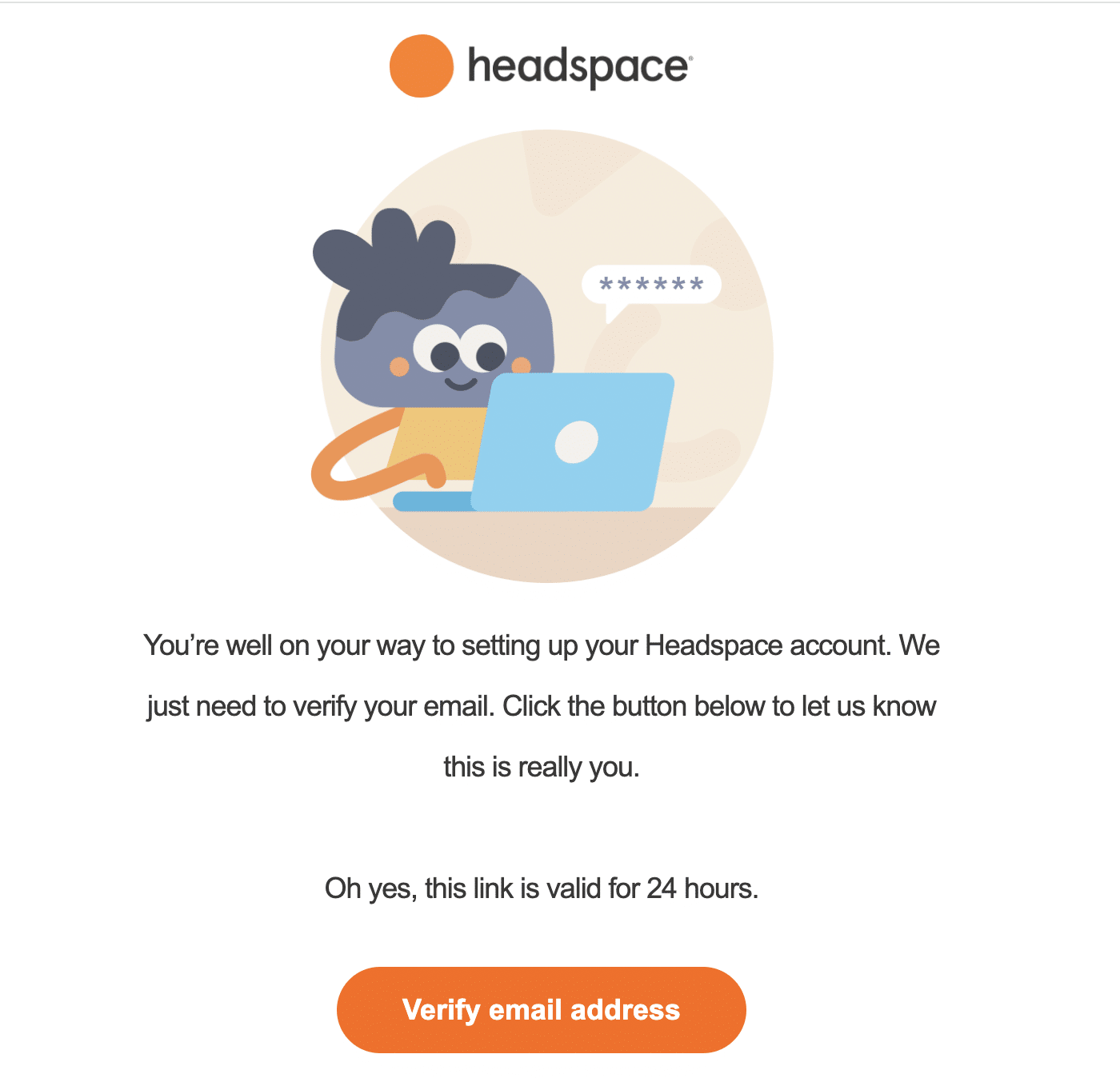
Email verification is not a single gate; it belongs at multiple points in the user lifecycle. The most obvious place is signup — rejecting invalid or disposable emails before creating an account saves you from sending to dead ends later. But verification also matters at checkout, where a typo in an email address can mean a lost receipt and an unhappy customer. Password recovery is another critical point; if a user mistypes their email, they will never receive the reset link, and you may not know until support tickets arrive.
The challenge is that invalid emails and temporary addresses are often not obvious. A typo like gnail.com instead of gmail.com passes syntax checks but bounces later. Disposable email services create valid, deliverable addresses that can bypass traditional validation. This is why an email verification API is a better investment than a regex pattern.
Real-Time API Integration Patterns

In a user-facing flow, verification must be fast. A good email verification API returns a response in well under a second, making it safe to call synchronously during form submission. For example, AntiTemp’s email verification API returns responses in under 500 milliseconds, which keeps the user experience smooth while still catching invalid addresses in real time.
From a developer perspective, the integration pattern is straightforward. You send the email address via HTTP POST, parse the JSON response, and decide what to do based on the status and score fields. Still, there are important details to get right.
First, set a timeout on the HTTP call. If the verification service is slow or down, you do not want your signup flow to hang. A reasonable timeout is 1-2 seconds, with a fallback that allows the request to proceed without verification rather than blocking the user. Second, implement retries with exponential backoff for transient network errors. Third, define a mapping between verification verdicts and your business rules. For example:
{
  "email": "user@example.com",
  "status": "valid",
  "score": 92,
  "is_disposable": false,
  "reason": "none"
}
If the status is valid, allow the request. If the email is invalid, show an inline error. If the score is borderline, you might send a confirmation link instead of blocking. The key is to avoid treating verification as a hard binary in every case.
Batch Verification for Legacy Databases
When you are cleaning up an existing user database, real-time verification is too slow. Instead, use batch verification. Export a list of email addresses, send them to the verification API, and receive a file with results. AntiTemp’s batch processing can clean thousands of addresses at once, which is especially useful before a large transactional event such as a scheduled password reset campaign or an account re-verification push.
The value here is immediate bounce-rate reduction. If you have a legacy database with years of accumulated typos, abandoned disposable addresses, and closed accounts, you are likely sending a meaningful percentage of mail to invalid recipients. Cleaning that list before your next send not only improves deliverability but also protects your domain reputation.
Using Explainable Risk Scores in Decision-Making
One of the most important advances in email verification is the move from simple pass/fail to risk scoring. A pure valid / invalid outcome cannot capture ambiguous cases like a catch-all domain that accepts all mail, or a new domain that might be temporary. Risk scores give you a gradient.
AntiTemp provides explainable risk scores, which means the API tells you not just the score but also the reasons behind it. This is invaluable when building nuanced policies. For instance, you might allow emails with a score above 70 to pass through to a normal account, require additional verification for scores between 40 and 70, and block anything below 40. The explainability also helps with debugging — if you see a false positive, you can inspect the reasons and adjust your threshold. Treating verification as a spectrum rather than a gate reduces user friction while still protecting your sending reputation.
Temporary Email Blocking as a Deliverability Strategy
The Hidden Cost of Disposable Emails
Disposable and temporary email addresses are a silent drain on your data quality. Users who sign up with a throwaway address are unlikely to engage with your product after the initial interaction. They distort engagement metrics, inflate your user count, and can silently corrupt analytics dashboards. Worse, many temporary email domains are reused or discontinued, which means they often become hard bounces months after signup. A single high-bounce-rate day can hurt your sender reputation for weeks.
The hidden insight is that disposable email domains change constantly. New temporary email providers appear every week, and existing providers swap domains frequently. A static blocklist of known disposable domains becomes stale within days. Relying solely on a list is not enough.
How to Detect Disposable and Temporary Addresses
Detection methods fall into several categories. Domain pattern analysis looks at characteristics like suspiciously short domain names, unusual TLDs, or patterns that match known disposable services. Known disposable domain lists are still useful as a baseline, but they need to be updated frequently. Behavioral signals are another layer — for example, a user who signs up with an email address that is only minutes old is more likely to be using a disposable service.
Modern email verification APIs combine these methods with AI-powered detection. Machine learning models can recognise new disposable domains based on structural similarities to existing ones, even if the exact domain has never been seen before. This makes it much harder for users to bypass the check simply by using a newly created temporary address.
Best Practices for Temporary Email Blocking
The most effective strategy is to block temporary addresses in real time during signup and checkout. When the verification API flags an address as disposable, reject it immediately with a clear, courteous error message such as "Please use a permanent email address."
However, be careful not to over-block. Some temporary email detection systems produce false positives, especially for users on less common domains in small countries. A better approach is to combine the disposable flag with the risk score. If an email is flagged as disposable but the score is high, you might still allow it but require email verification. If the score is low and the disposable flag is true, you can block outright. This nuanced policy keeps legitimate users from being blocked while still stopping the majority of temporary-email signups.
Designing Transactional Emails That Convert and Deliver
Sender, Subject, and Preheader Best Practices
The sender name and email address are often the first thing users notice. Use a sender name that identifies your product, like Acme Support or Acme Notifications, and a reply-to address that is monitored. If users reply to a no-reply address, they will not get a response; if they click "reply" and receive a bounce, trust drops.
Subject lines for transactional email should be descriptive and aligned with the user's intent. "Your password reset request" is clearer than "Important security alert." Avoid marketing language like "Exclusive offer inside" in a transactional email. You also do not need to stuff emojis or urgency triggers into a receipt confirmation. Preheader text is the snippet of text that appears after the subject in some email clients. Use it to reinforce the subject, not to repeat it.
HTML, Plain Text, and Accessibility
Every transactional email should have a plain-text version. Many developers skip this, but plain-text emails often have better deliverability because they are less likely to be flagged and are easier to parse. Sending a multipart message with both HTML and plain text is a low-effort, high-reward best practice.
Design for mobile first. A significant portion of users will open your email on a phone, so use responsive layouts, a large enough touch target for buttons, and no more than one or two columns. Test in dark mode; many email clients automatically adjust or invert colors, and contrast problems can make text unreadable. For screen readers, use semantic HTML, proper heading levels, and descriptive link text. Accessibility is not just a nice-to-have — it is part of reliable communication.
Avoiding Spam Filters and Promotion Tabs
Transactional emails can still land in spam or the promotions tab if they look too much like marketing. A few common triggers to avoid: link shorteners, image-only emails, excessive capitalization, and too few words compared to images. A healthy text-to-image ratio is important because spam filters are suspicious of messages that are purely visual. Keep the core message and call-to-action above the fold, and include the essential details in text form.
Consistent sending patterns also matter. If your transactional emails normally go out within seconds of an event, a sudden batch of slow sends can look unusual. Make sure your email infrastructure can handle peak load without delaying sends by minutes or hours, as latency itself can affect deliverability scoring.
Real-World Implementation: Lessons from Production
Step-by-Step Integration into a Signup Flow
Let's walk through a real integration. When a user submits a signup form, your backend receives the email address. Before creating a user record, you call the verification API. The flow looks like this:
- User submits the form.
- Backend sends an HTTP request to the verification API with the email address.
- The API returns a response with status, risk score, and disposable flag.
- If the status is
invalid, return a field error. - If the status is
disposableand the risk score is low, block with a message. - If the status is
validorriskywith a moderate score, allow signup but require email confirmation. - Create the user record, storing the verification result and timestamp.
Here is a simplified example in Node.js:
async function verifyEmail(email) {
  const controller = new AbortController();
  const timeout = setTimeout(() => controller.abort(), 1000);

  try {
    const response = await fetch('https://api.antitempmail.com/verify', {
      method: 'POST',
      headers: { 'Content-Type': 'application/json' },
      body: JSON.stringify({ email }),
      signal: controller.signal
    });
    const data = await response.json();
    return data;
  } finally {
    clearTimeout(timeout);
  }
}
This is a minimal example, but the pattern applies to any language or service.
Common Pitfalls to Avoid
One of the most common mistakes I have seen is ignoring API timeouts and network failures. If your verification call hangs for 30 seconds, you have already lost the user. Always set a timeout, and decide what happens if the verification API is unavailable. A fallback that allows the request to proceed can cause more invalid emails to slip through, but blocking all signups during an API outage is far worse.
Another pitfall is caching verification results forever. Email addresses do not change often, but disposable domains do. A domain that was valid six months ago may now be a known temporary service. Set an appropriate TTL on verification results — for example, 30-90 days — so that the risk score can be refreshed. Caching is still valuable for high-volume traffic, but stale data can become a liability.
Over-aggressive temporary email blocking is another source of real harm. When you block a legitimate user because their email address shared a pattern with a disposable domain, the user experience suffers. The fix is to rely on explainable risk scores and a manual review queue rather than a bare binary block.
When to Verify (and When Not To)
There are scenarios where immediate blocking is not the right move. For example, if your product allows anonymous browsing, adding email verification at checkout might create unnecessary friction. In that context, flagging the address for monitoring and sending a confirmation email before the order is final may be better than blocking the purchase outright. Similarly, for a low-risk action like subscribing to a public mailing list, you might accept a temporary email and simply suppress it from engagement analytics later.
The key is to weigh the value of verification against user friction. Verification is not free; it adds a network request and a possible rejection. Use it where the downside of a bad email is high — account creation, payment processing, password reset — and consider less aggressive approaches elsewhere.
Advanced Techniques for Transactional Email Best Practices
Caching and Deduplication for High-Volume Traffic
At scale, verifying the same email address repeatedly wastes time and money. Caching verification results can reduce API load dramatically. Redis is a popular choice. Set the cache key to the hashed email address and map it to the full verification response. Use a TTL that reflects how often email data changes. For most use cases, 30 days is a sensible default.
Idempotency is also essential when retrying requests. If you are calling a verification API and the request times out but the server actually processed it, retrying can give you a different result or double-count. Include a request ID or idempotency key so the API can deduplicate requests. Designing for idempotency is a best practice that will save you from inconsistent state during network issues.
Handling Edge Cases: Catch-All Domains and New TLDs
Catch-all domains accept every email sent to them, whether the mailbox exists or not. They are a nightmare for email deliverability because they produce no immediate bounce, but they also generate no engagement. A syntax check and SMTP check will both pass, yet the address is effectively useless. This is where risk scores help. A catch-all domain should be flagged with a lower score and a reason like catch_all, allowing you to decide whether to require stronger verification.
New TLDs are another edge case. A generic verification logic might assume .xyz or .top are suspicious simply because they are newer. That is biased and can block legitimate users. Instead, use behavioral and pattern-based data. An email from a brand new domain with a very low score and no historical data is riskier than one from an established domain, regardless of the TLD.
Scaling Verification for 500ms Response Times
Maintaining sub-500ms verification at scale requires an efficient API design. The verification provider handles the heavy lifting, but your integration also needs to be lean. Use connection pooling to avoid reopening TCP connections for every request. Consider regional endpoints to reduce latency for your user base. If you have a global user base, you may need to store verification results in an edge cache.
The decision between synchronous and asynchronous verification is important. For user-facing flows like signup, synchronous verification is often worth it because the latency is low enough. For background processes like cleaning a database, asynchronous is better. If the API ever exceeds the latency budget, you can fall back to asynchronous verification and let the user proceed. The best approach is to architect your system so that verification is a step in an event pipeline, not a monolithic bottleneck.
Measuring the Impact of Transactional Email Best Practices
Key Metrics to Track
You cannot improve what you do not measure. For transactional email, the key metrics are bounce rate, complaint rate, inbox placement rate, and delivery latency. Bounce rate tells you how many of your sends are failing. Complaint rate shows how many users are marking your messages as spam. Inbox placement rate, which is harder to measure but can be approximated using seed accounts, tells you whether your messages are actually reaching the inbox as opposed to spam or missing. Delivery latency tracks the time between the triggering event and the email being accepted by the receiving server.
Engagement metrics like open rate and click rate are useful for transactional email, but with a caveat. A password reset email should have a low open rate? No, actually it should be very high. If you see low engagement on transactional messages, the subject line or sender name may be confusing. The click-through rate on a confirmation link is a direct measure of whether your email successfully drove the intended action.
Benchmarking Verification Accuracy and Latency
When evaluating an email verification solution, look beyond the marketing claims. Measure accuracy by sampling verified addresses and comparing them to actual send outcomes. A good verification service should have a very high precision rate — meaning it rarely labels a valid email as invalid — and a high recall rate — meaning it catches most invalid emails. AntiTemp reports over 95% accuracy with response times under 500ms, but benchmarks will differ depending on the composition of your email list. Run a batch test on your own data before committing.
Latency is equally important. You need to know the 95th percentile response time, not just the average. A verification API that averages 200ms but occasionally takes 3 seconds will cause timeouts in your application. Load test your integration under realistic traffic patterns.
Iterating with Feedback Loops
The final best practice is to close the loop. Use deliverability data to adjust your verification thresholds. If you notice that a certain risk-score band has a high bounce rate, raise the threshold. If you see that you are blocking too many legitimate users in a specific country, investigate the false-positive patterns and adjust your temporary email detection rules.
Building a feedback loop means connecting your email sending history to your verification decisions. For every email you send, store the verification score and the resulting delivery outcome — success, bounce, complaint, or spam. Over time, this dataset lets you calibrate your policies with precision. It turns email verification from a one-time check into an ongoing optimisation process.
Conclusion
Transactional email best practices span a wide range of concerns: authentication, reputation, verification, content design, and continuous measurement. For developers, the challenge is not just hitting "send" but building a system that reliably reaches the inbox and earns user trust. Start with strong fundamentals — SPF, DKIM, DMARC, clean lists, and proper bounce handling. Add a verification API to catch invalid and disposable addresses before they cause damage. Design your emails to be clear, accessible, and human. Then measure, iterate, and refine your thresholds.
The reward is a transactional email program that feels invisible because it simply works: users get their resets in seconds, receipts arrive without a trace of spam, and your domain reputation stays healthy enough to protect every message you send. That is the ultimate goal of transactional email best practices, and it is well within reach with the right strategy and tooling.